
diagonal gradient

radial gradient

horizontal stripes

vertical stripes
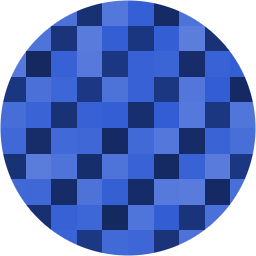
diagonal stripes

3-band, random dither

3-band, linear dither

4-band, 8-bit retro dither
GET /api/v1/avatar/{seed} — optional query params:
size — output px, default 256grid — blocks per side, default 10sat — HSL saturation %, default 65direction — diagonal (default) | horizontal | vertical | radialstyle — gradient (default, one smooth sweep) | stripes (repeating bands)stripes — number of bands when style=stripes, default 6colors — quantize the gradient into this many discrete color bands (e.g. colors=3), default 0 (off, smooth/continuous)dither — how colors band edges blend: random (default, speckled/noisy) | linear (diagonal line-screen, structured) | bayer (classic ordered/retro "8-bit" dot pattern)line_width — diagonals per repeat when dither=linear, default 4 (bigger = thicker, more pronounced lines)edge_softness — width of the dithered transition at each band edge, 0.0-1.0, default 0.3 (0 = hard/fully-defined edges; 0.5 = interior bands fully dithered; up to 1.0 lets the two outermost colors dither across their entire width too, for genuine end-to-end dithering with no flat corners)bayer_size — Bayer matrix size when dither=bayer: 2 (chunkiest), 4 (default, classic retro look), or 8 (finest)Examples:
POST a raw image (JPEG/PNG/GIF/BMP bytes as the request body) to
/api/v1/halftone to get back a dithered, pixelated halftone PNG:
curl --data-binary @photo.jpg "http://localhost:8080/api/v1/halftone?colors=4" -o out.png
Optional query params:
colors — quantize into this many discrete tones, default 4 (0 disables banding for a smooth grayscale/color pixelation)dither — random (default, speckled) | linear (diagonal line-screen, structured) | bayer (classic ordered/retro "8-bit" dot pattern)line_width — diagonals per repeat when dither=linear, default 4 (bigger = thicker, more pronounced lines)edge_softness — width of the dithered transition at each band edge, 0.0-1.0, default 0.3 (0 = hard/fully-defined edges; 0.5 = interior bands fully dithered; up to 1.0 lets the two outermost colors dither across their entire width too, for genuine end-to-end dithering with no flat corners)bayer_size — Bayer matrix size when dither=bayer: 2 (chunkiest), 4 (default, classic retro look), or 8 (finest)grid — pixelation blocks per side, default 48size — output px, default 512mode — grayscale (default, classic b/w halftone) | color (keeps the photo's hue, posterized)circle — clip to a circle like the avatars above, default true (set circle=false for a square)Try it: